Volume unflattening with jscad
-
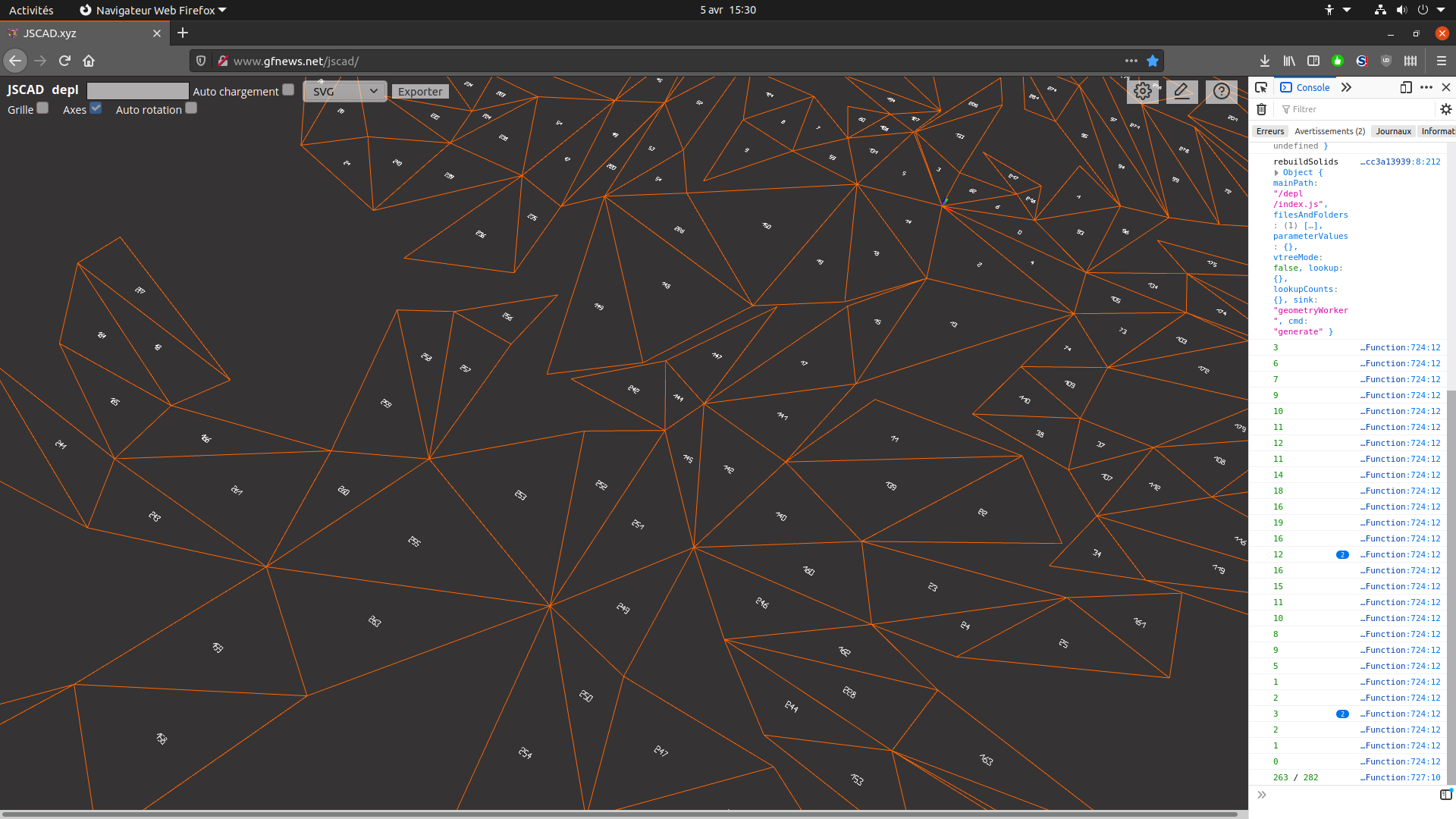
Hello, recently I tried lots of code cad tools, and even if some of them (Cascade Studio and Cad Query) are impressive, jscad is still the most advanced one. I'm hoping to make a automatic version that directly outputs to svg and I'm wondering if there's any possibility to have my output with groups or ids that I can control, so that I can easily style them as I need with code or a svg editor.
Here is my current output...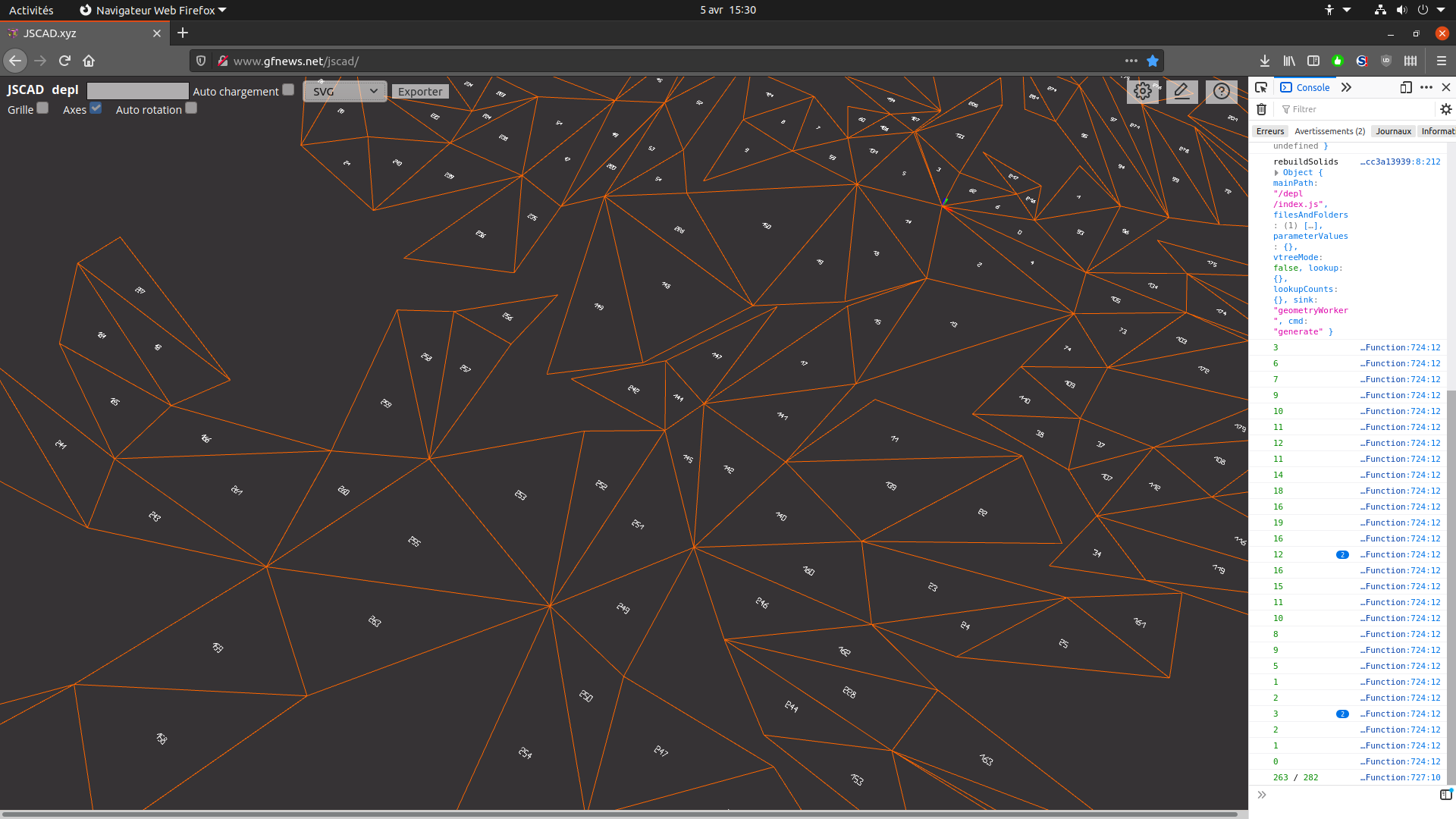 .
. -
With jscad it takes less than 2 sec. to unflatten the demo volume I'm using, a hand made of 282 triangles. My process is simple. I build a net from the 3d model data, then I choose a first triangle to unfold and unfold its neighbors and so on while there's nothing left to do. I tried to do the same with OpenSCAD and surprisingly I was not able to code it as it cannot do conditional actions depending on feedback from a boolean operation (I need to check if a new face can be unfold without overlapping with already unfold ones, and it takes CSG intersection. With Cascade Studio, the intersection works, but it gets out of memory before the end, and anyway for the moment there's is still no 2d output.
-
@gilboonet once again. Very cool!

There was a request to add ‘names’ when exporting to external formats. So far, only DXF exports support the ‘name’ attribute on geometries.
https://github.com/jscad/OpenJSCAD.org/issues/558
This is definitely possibly for SVG paths as well. Do you know which SVG attribute to set?
-
@z3dev "id" or "name" would be enough. Here for the numbers, I use lots of times the sames polygons, and on an old v1 version where I created the svg on a string, instead of duplicating those polygons, i used 1 "def" for each of them then "use", I'm not sure it it is possible here.
-
@gilboonet thanks for the information.
I’m not sure if ‘id’ is a good choice as by definition ‘id’ must be unique across the whole SVG document. This seems to be special for linking, etc.
https://developer.mozilla.org/en-US/docs/Web/SVG/Element/defs
Any other suggestions?
-
@gilboonet here’s a suggestion...
How about using the ‘class’ element?
https://developer.mozilla.org/en-US/docs/Web/SVG/Attribute/class
-
@z3dev 'class' element for sure is interesting as it will ease styling. About 'id', yes it must be used carefully to ensure that each object has its unique id, generally I use names forged from data (line between triangle 23 and 111 has id 'L_23_111', etc.). 'name' is deprecated so it's maybe wise to avoid it, on very old js code I remember i used 'tag', as svg doesn't use it, as svg can use custom attributes, it can be anything. And it would be really great to have exported svg from jscad with such fine details, because it will allow rework those outputs with great ease. I tried to use localStorage from a jscad script and it doesn't work, so my only other possibility would be to output to console.


Hello! It looks like you're interested in this conversation, but you don't have an account yet.
Getting fed up of having to scroll through the same posts each visit? When you register for an account, you'll always come back to exactly where you were before, and choose to be notified of new replies (either via email, or push notification). You'll also be able to save bookmarks and upvote posts to show your appreciation to other community members.
With your input, this post could be even better 💗
Register Login