fetch() in a design
-
The recommendation is to use synchronous XHR (which is being deprecated on the web). Here is a working example:
const jscad = require('@jscad/modeling') const { deserializers } = require('@jscad/io') const { translate, scale, rotateZ } = jscad.transforms //const url = 'https://raw.githubusercontent.com/jscad/OpenJSCAD.org/master/packages/io/x3d-deserializer/tests/ElevationGrids.x3d' const url = 'https://raw.githubusercontent.com/create3000/Library/main/Tests/Components/CADGeometry/CADGeometry.x3d' const request = new XMLHttpRequest(); request.open("GET", url, false); // `false` makes the request synchronous request.send(null); const cadX3D = request.responseText if (request.status === 200) { console.log(request.responseText); } const main = () => { const cad = deserializers.x3d({ output: 'geometry' }, cadX3D) console.log(cad[1], jscad.geometries.geom3.isA(cad[1])) return cad } module.exports = { main } -
latest prototype of https://jscad.app supports async/promises main method.
const jscad = require('@jscad/modeling')
const { deserializers } = require('@jscad/io')
const { translate, scale, rotateZ } = jscad.transforms

const main = async () => {
  const url = 'https://raw.githubusercontent.com/jscad/OpenJSCAD.org/master/packages/io/x3d-deserializer/tests/ElevationGrids.x3d'

  //const url = 'https://raw.githubusercontent.com/create3000/Library/main/Tests/Components/CADGeometry/CADGeometry.x3d'
  const response = await fetch(url)
  const cadX3D = await response.text()
  // const cadX3D = x3d
  const cad = deserializers.x3d({ output: 'geometry' }, cadX3D)

  console.log(cad[1], jscad.geometries.geom3.isA(cad[1]))

  return cad[1]
}

module.exports = { main }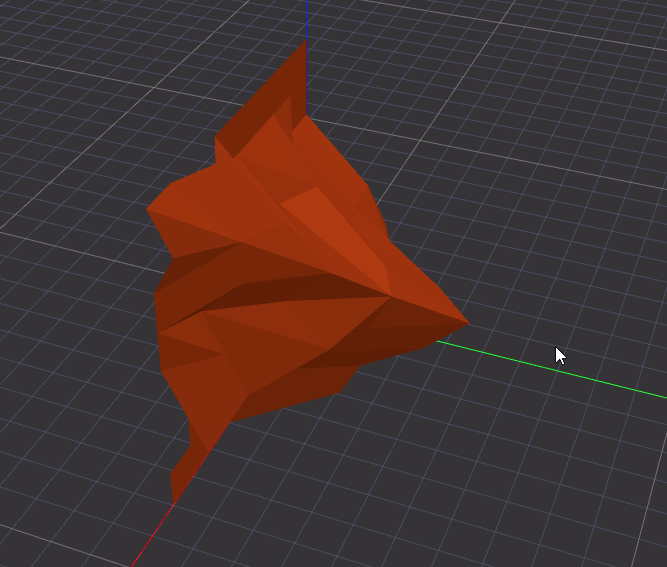
the version that works with above mentioned code is not live yet, you can test by runing locally (untili it is):
https://github.com/hrgdavor/jscadui/tree/main/apps/jscad-webIMPORTANT: jscad.app is playground for prototyping future version of openjscad web app, and is not part of of jscad officially yet, but most if not all features will make it to jscad when ready.
-
@hrgdavor It is great to see that there is good progress. I would probably already prefer the app.
A related idea is to allow importing of any supported file format via drag and drop and/or url. The editor would be populated by the generated script. Probably easier said than done. It may not be too different from loading jscad script format directly.
-
@Andreas-Plesch jscadui project also aims to simplify for users to create their own flavor of jscad app, or demo page for their parametric creations.
talking about it, it may be cool if jscad app reacts to drag and drop of an url .... we then create a sample script that shows how to read model from ulr and how to start manipulating it
const jscad = require('@jscad/modeling') const { deserialize } = require('@jscad/io') const { translate, scale, rotateZ } = jscad.transforms const main = async () => { const object = await deserialize('https://raw.githubusercontent.com/jscad/OpenJSCAD.org/master/packages/io/x3d-deserializer/tests/ElevationGrids.x3d') // you can do some jscad operations on the loaded object and return // that instead the generated return below // sample script returns the deserialized object return object } module.exports = { main } -
@hrgdavor I was also thinking of the
output:'script'option for most/all deserializers that generates jscad script code to run. The generated code already includes all requires (see https://github.com/jscad/OpenJSCAD.org/blob/master/packages/io/obj-deserializer/index.js#L183 for example). It may be possible to treat the generated code as a drop-in replacement for directly loaded jscad script urls. -
@Andreas-Plesch jscad.app has been just updated, and the example:
const jscad = require('@jscad/modeling')
const { deserializers } = require('@jscad/io')
const { translate, scale, rotateZ } = jscad.transforms

const main = async () => {
  const url = 'https://raw.githubusercontent.com/jscad/OpenJSCAD.org/master/packages/io/x3d-deserializer/tests/ElevationGrids.x3d'

  const response = await fetch(url)
  const cadX3D = await response.text()
  const cad = deserializers.x3d({ output: 'geometry' }, cadX3D)

  console.log(cad[1], jscad.geometries.geom3.isA(cad[1]))

  return cad[1]
}

module.exports = { main }
works now
-
@hrgdavor cool, thanks.
-
@Andreas-Plesch Some examples:
const jscad = require('@jscad/modeling')
const { deserializers } = require('@jscad/io')
const { translate, scale, rotateX } = jscad.transforms

const main = async () => {
  //const url = 'https://raw.githubusercontent.com/jscad/OpenJSCAD.org/master/packages/io/x3d-deserializer/tests/ElevationGrids.x3d'

  //const url = 'https://raw.githubusercontent.com/create3000/Library/main/Tests/Components/CADGeometry/CADGeometry.x3d'
  //const url = 'https://www.web3d.org/x3d/content/examples/X3dForWebAuthors/Chapter02GeometryPrimitives/GeometryPrimitiveNodes.x3d'
  //const url = 'https://www.web3d.org/x3d/content/examples/X3dForWebAuthors/Chapter02GeometryPrimitives/GeometryPrimitiveSubstituteMeshes.x3d'
  //const url = 'https://www.web3d.org/x3d/content/examples/X3dForWebAuthors/Chapter10Geometry2D/Summary2D.x3d'
  const url = 'https://www.web3d.org/x3d/content/examples/Basic/Medical/BonesAllSkeleton.x3d'
  const response = await fetch(url)
  const cadX3D = await response.text()
  // const cadX3D = x3d
  const cad = deserializers.x3d({ output: 'geometry' }, cadX3D)

  return rotateX(1.57, cad)
}

module.exports = { main }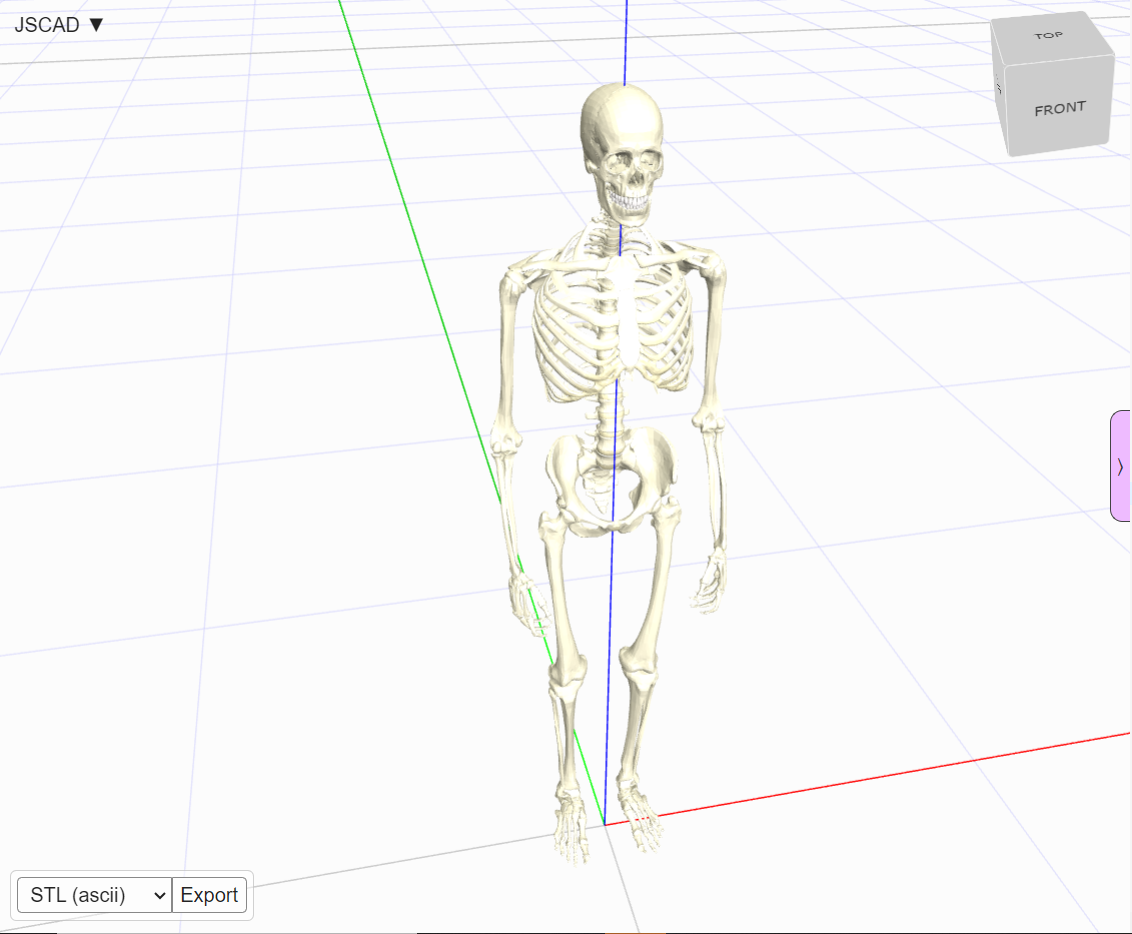
-
Correct. There are several reasons but in general any kind of fetching has security issues. Be careful what you wish for.
If you believe that designs are secure then a fetch/evaluate could be performed. But there should be an option to 'believe'.
For those wondering what should be allowed. Create a project (with multiple source files or external formats), and drag-n-drop to the website. In this case, you control the content 100%.
https://openjscad.xyz/dokuwiki/doku.php?id=en:design_guide_anatomy
-
@z3dev There are security issues with fetching and then executing arbitrary js code. On the other hand this seems to be have been a choice when designs became imperative code which need to be executed. I think it may already possible to craft a design which includes security sensitive code.
Thank you for the hint of dropping a project folder (zip?) on the website.
This makes it easy to have larger projects. Ultimately, it shifts the responsibility of transferring code squarely to the user who still could be tricked by social engineering ('instructions' on some web page) to upload malicious code manually. It may not be that different from fetching from some source but cannot be prevented.
Is there a template for creating an 'app' without building, eg. a static web page (no server) with just script elements or imports using the web as a platform ?https://raw.githack.com/jscad/OpenJSCAD.org/master/packages/utils/regl-renderer/demo.html
seems close using unpkg.
-
@Andreas-Plesch there is also this
https://github.com/hrgdavor/jscadui/tree/main/apps/model-pageI made this as an example for some users that asdek on discord and published sample here https://3d.hrg.hr/tmp/darvin/
-
@hrgdavor Thanks.
It looks there is server processing of the path
https://jscad.app/remote
Is that working ? -
@Andreas-Plesch jscad.app is just a new prototype, not yet part of official jscad, I did not implement /remote ... it is meant for fetching remote scripts you can report issues on jscadui git or ask on discord.


Hello! It looks like you're interested in this conversation, but you don't have an account yet.
Getting fed up of having to scroll through the same posts each visit? When you register for an account, you'll always come back to exactly where you were before, and choose to be notified of new replies (either via email, or push notification). You'll also be able to save bookmarks and upvote posts to show your appreciation to other community members.
With your input, this post could be even better 💗
Register Login