How to run JSCAD from another application ?
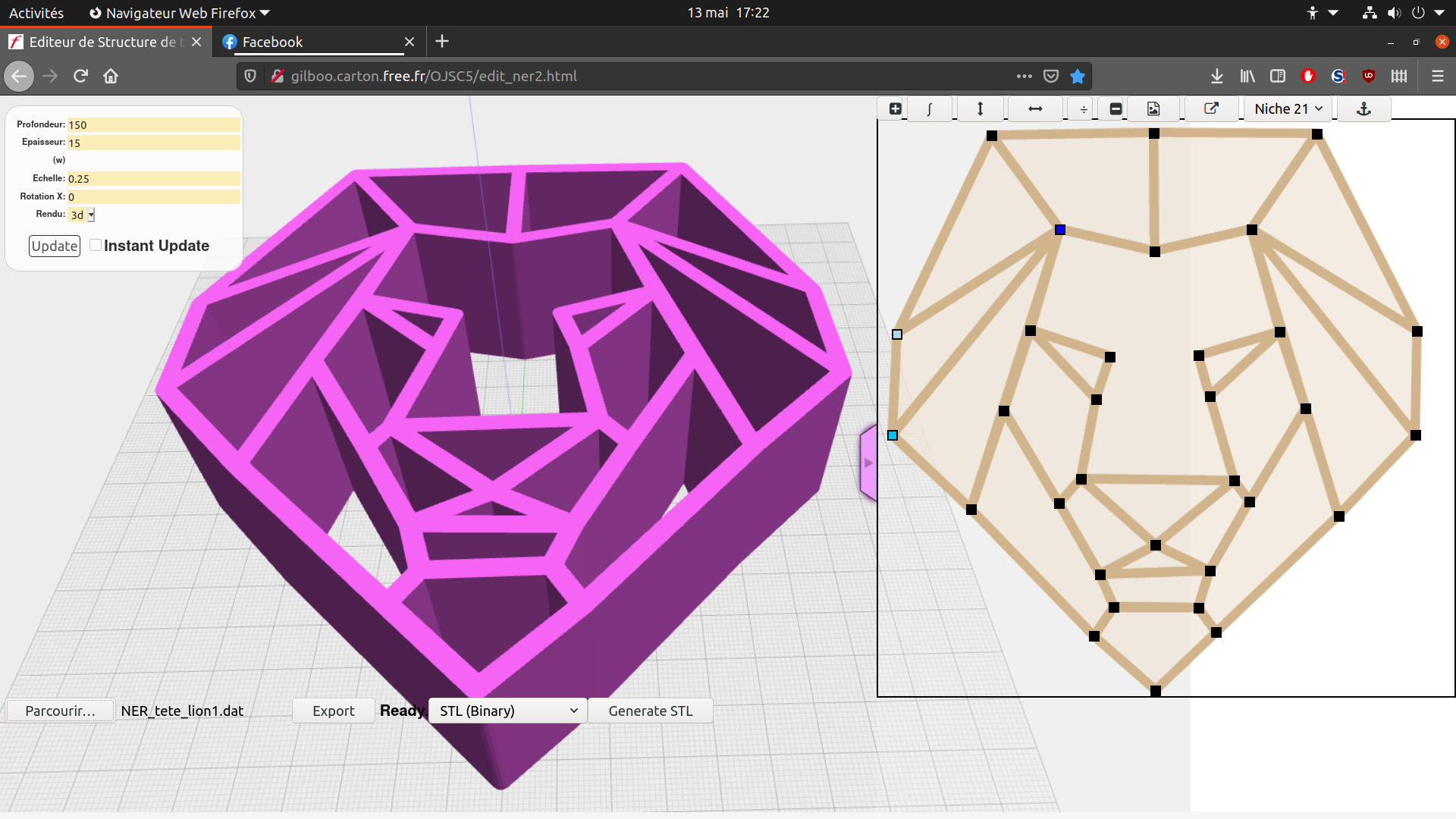
-
@hrgdavor super idea.
For now, maybe a new page in the user guide would help.
-
@gilboonet said in How to run JSCAD from another application ?:
Last week, I started to explain to someone how to make basic patterns for scroll saw, and I struggled to explain to him that there's no built-in function for projection and that he needs to use the functions that I wrote for that as a workaround. That made this basic project to hard for a beginner.
There’s a new projection function in the works. Hopefully, it will be available in one or two weeks.
-
For now, maybe a new page in the user guide would help.
ok, I am ok with that, but for what part exactly ?

-
There’s a new projection function in the works. Hopefully, it will be available in one or two weeks.
there is need for projection and slice ...
although one could make a thin slice with subtract and then use projection to make a 2d shape out of it.
-
@hrgdavor sorry
A page that showcases various usage of JSCAD.
-
@z3dev That's great news.
-
Hi ,
I have taken your script and added some performance improvements to enable cool user interaction with the slicer
http://3d.hrg.hr/jscad/three/threejscad.html?uri=examples/sqed/index.js
by default "model preview" is ON and you can see the slices in 3D superimposed over the selected obj model.
speed improvements mean you can move sliders and have live preview.
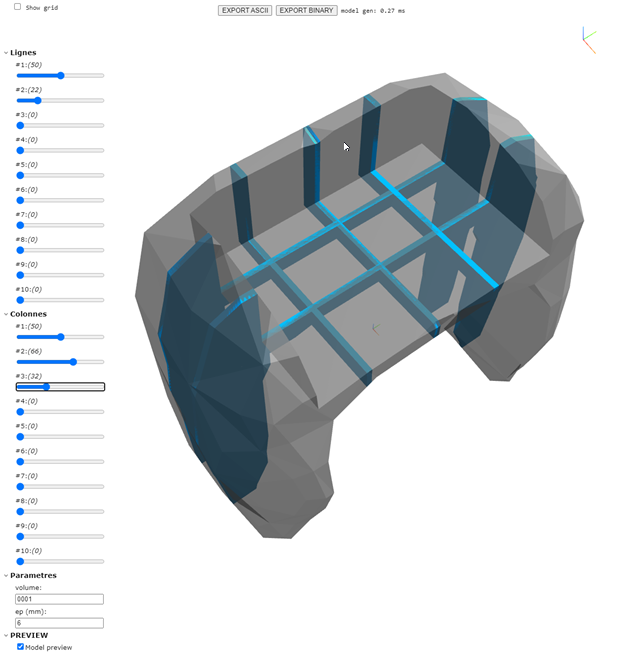
if you uncheck the "model preview" you will get the 2d view of the parts with all the cuts for interconnecting like in the original version.
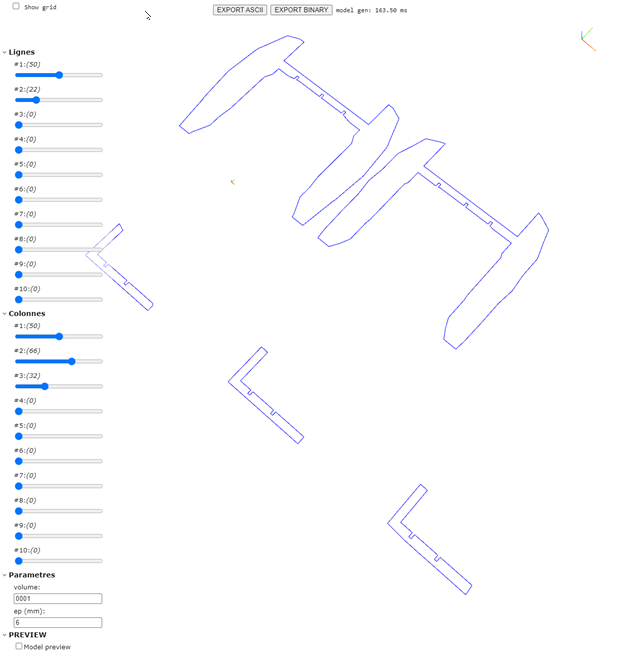
I will look into making a a new type of param that is file upload/url so that way users can use your script with their model just by accessing the website and no needing to know how to tweak the script.
this version ov jscad viewer has only stl export (I was lazy and it is only one I use) ... how did you generate PDF ?
-
@hrgdavor You did really nice improvements. On the V2 version I don't export to PDF, but only to a big SVG. On the V1 version that exports to PDF, my scripts create a file with data on what needs to be rendered (triangle, text, line, next page, etc) and the PDF button fires a node js script that read that file and create a pdf from it, as I didn't find a way to fire that button with V2 I didn't add it.
-
PDF button fires a node js script that read that file and create a pdf from it, as I didn't find a way to fire that button with V2 I didn't add it.
can u share that script ?
-
@hrgdavor Yes, it can be found here :
- html (derived from min.html of v1) with the .jscad code https://github.com/gilboonet/gilboonet.github.io/blob/master/OpenJSCAD.org/packages/web/scripts.html
- js (derived from index.js of v1) with the code to create pdf, (creePDF) : https://github.com/gilboonet/gilboonet.github.io/blob/master/OpenJSCAD.org/packages/web/dist/scripts.js
To work the .jscad needs to push data into an array (see creePDF to see possibles types of data) that is then put into a localStorage parameter. The script that's into the textarea with id="zc_tranches02" contains the script for the V1 2 axis slicer and it pushes data that way. But, as I didn't manage to have localStorage work with V2, I don't know if it is possible.
-
@gilboonet if not localStorage, postMessage could work ... as design is running in worker.
and I will look into how to integrate more closely so we can communicate with the embeded jscad script.
-
@hrgdavor yes, the method I used was what was available but any other could replace it. The purpose is to get data from the embedded jscad script and create a pdf file from it that can then be downloaded or directly viewed into the browser.



Hello! It looks like you're interested in this conversation, but you don't have an account yet.
Getting fed up of having to scroll through the same posts each visit? When you register for an account, you'll always come back to exactly where you were before, and choose to be notified of new replies (either via email, or push notification). You'll also be able to save bookmarks and upvote posts to show your appreciation to other community members.
With your input, this post could be even better 💗
Register Login