• From .obj to .dxf

    General Discussions
    5
    0 Votes
    5 Posts
    1k Views
    Gorka ArakisG
    @z3dev Happy to hear it!
  • Problem with the website

    General Discussions
    5
    0 Votes
    5 Posts
    1k Views
    hrgdavorH
    @Honest-Guvnor It is fine to ask both here and on discord.
  • Featured Model for CadHub

    General Discussions
    5
    1
    0 Votes
    5 Posts
    1k Views
    z3devZ
    @hrgdavor thanks for the nice recommendation. here's the design, which was converted from an OpenJSCAD design. https://www.thingiverse.com/thing:4788337 i'll leave the choice up to you gentlemen.
  • Debugging script

    General Discussions
    5
    0 Votes
    5 Posts
    1k Views
    K
    Thanks everyone for your response, I continue to experiment and learn. Once I switched to Foxfire I can see the debug results. Thanks Ken
  • 0 Votes
    1 Posts
    532 Views
    No one has replied
  • 0 Votes
    2 Posts
    943 Views
    z3devZ
    @Nathan-Apter welcome Please try www.openjscad.xyz The examples can be found by clicking on the ? In the top right corner. Keep those questions coming!
  • Best way to get started with JSCAD

    General Discussions
    5
    1 Votes
    5 Posts
    2k Views
    hrgdavorH
    If you start with a simple file design.js, save it in a folder and use editor of your choice. open https://openjscad.xyz/ and make sure you check the option "Enable Auto-reload" drag and drop the file into the window and you will see the model change your js file and save, changes will be picked-up automatically. openjscad checks for changes every second, but if you want to see changes even faster you can use livereload. one way to use livereload is via nodejs if you have nodejs just run npm -g install livereload go to the folder with your design and run: livereload you must do the livereload step before you drag and drop design into openjscad window.
  • 3d to 2d

    General Discussions
    6
    0 Votes
    6 Posts
    2k Views
    z3devZ
    @Maria-Alzate Just for your information, as part of the last release, there's a new project() function which can project a 3D shape to a 2D shape.
  • Can't find command for 3D to 2D Projection

    General Discussions
    3
    0 Votes
    3 Posts
    2k Views
    z3devZ
    @geobruce Just for your information, as part of the last release, there's a new project() function which can project a 3D shape to a 2D shape.
  • 0 Votes
    4 Posts
    2k Views
    z3devZ
    @Alasdair-McAndrew Just for your information, as part of the last release, there's a new project() function which can project a 3D shape to a 2D shape.
  • Beginner Questions

    General Discussions
    23
    0 Votes
    23 Posts
    9k Views
    z3devZ
    @Dunk-Fordyce I really like this concept of a preconfigured project. It would be a great addition to the JSCAD project. Probably, there are a few different styles of projects. So, maybe a little repository of starting projects could be created. Interested?
  • designs for blade cutter (svg)

    General Discussions
    7
    1
    0 Votes
    7 Posts
    1k Views
    gilboonetG
    @hrgdavor Yes that's this one. (the Maker comes with a fine-point blade and a rotary blade)
  • Does //!OpenSCAD no longer work?

    General Discussions
    2
    0 Votes
    2 Posts
    1k Views
    z3devZ
    @ksanger welcome Correct. The 'OpenSCAD' conversion to JSCAD has been decommissioned. The code is very old and needs some extensive maintenance / enhancements. Your students should be able to use the new website easily; www.openjscad.xyz The 'syntax' to create a new design is slightly different but there's plenty of documentation. User Guide API reference
  • Texture rendering

    General Discussions
    3
    0 Votes
    3 Posts
    889 Views
    z3devZ
    @Pippo-LoVe as mentioned, JSCAD focuses on designs for 3D printing, and therefore colors are essential. Colors are assigned to a geometry / shape after completing all operations. Colors can also be assigned to individual polygons on 3D geometries. Having said the above, textures may be possible. But there have not been many requests for this support.
  • three.js integration part2 (threejscad)

    General Discussions
    1
    2
    1 Votes
    1 Posts
    1k Views
    No one has replied
  • Proposal to move to github discussions

    General Discussions
    3
    0 Votes
    3 Posts
    1k Views
    jfo8000J
    I love the idea of putting all the docs in markdown in the git repo itself. The original site could also be hosted in gh-pages branch. There are a bunch of tools to convert markdown to html, so they could be optionally embedded in the app. As a stopgap, for anyone needing V1 - there's a copy over at https://creator.buildbee.com JFo
  • 0 Votes
    2 Posts
    693 Views
    jfo8000J
    Nice collection! Might have a look at JSCAD hardware and MakerJS. Some parts of JSCAD hardware have been included in Buildbee MakeCode (which is V1 JSCad based). JFo
  • Newbie question: Write 2D drawing to SVG file?

    General Discussions
    2
    0 Votes
    2 Posts
    1k Views
    z3devZ
    @dburt welcome Yes. You can make that example work. You might want to take a look at this project, which uses the JSCAD CLI (command line interface) for compiling the design and exporting SVG. Specifically, the 'localfont' project. https://github.com/jscad-community/jscad-text If you are going to work with other JavaScript libraries, especially those using async functions or promises then take a look at the 'googlefont' project.
  • Volume unflattening with jscad

    General Discussions
    7
    1
    0 Votes
    7 Posts
    1k Views
    gilboonetG
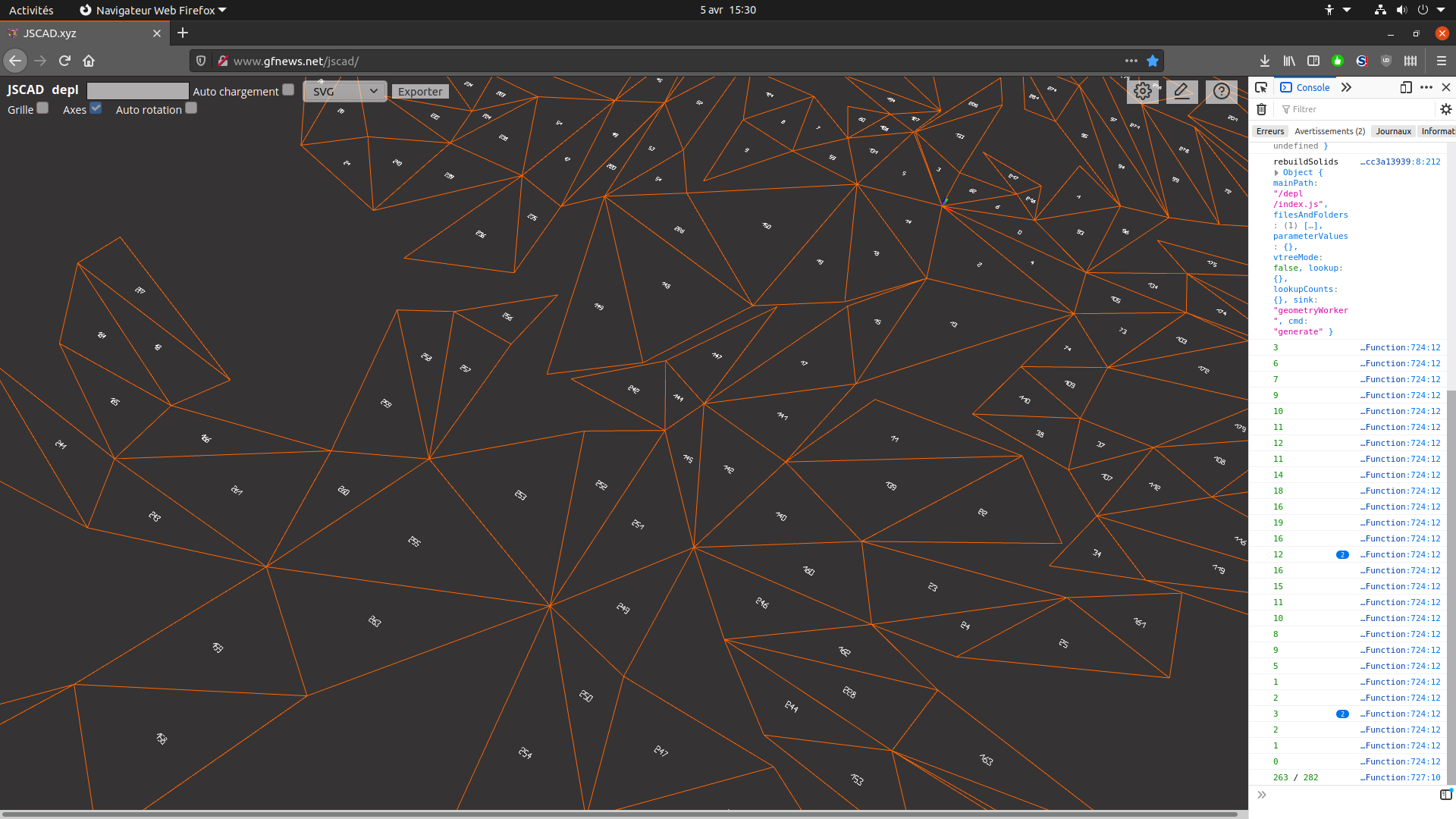
    @z3dev 'class' element for sure is interesting as it will ease styling. About 'id', yes it must be used carefully to ensure that each object has its unique id, generally I use names forged from data (line between triangle 23 and 111 has id 'L_23_111', etc.). 'name' is deprecated so it's maybe wise to avoid it, on very old js code I remember i used 'tag', as svg doesn't use it, as svg can use custom attributes, it can be anything. And it would be really great to have exported svg from jscad with such fine details, because it will allow rework those outputs with great ease. I tried to use localStorage from a jscad script and it doesn't work, so my only other possibility would be to output to console.
  • Expand Geom2 Self Intersecting

    General Discussions
    2
    2
    0 Votes
    2 Posts
    721 Views
    z3devZ
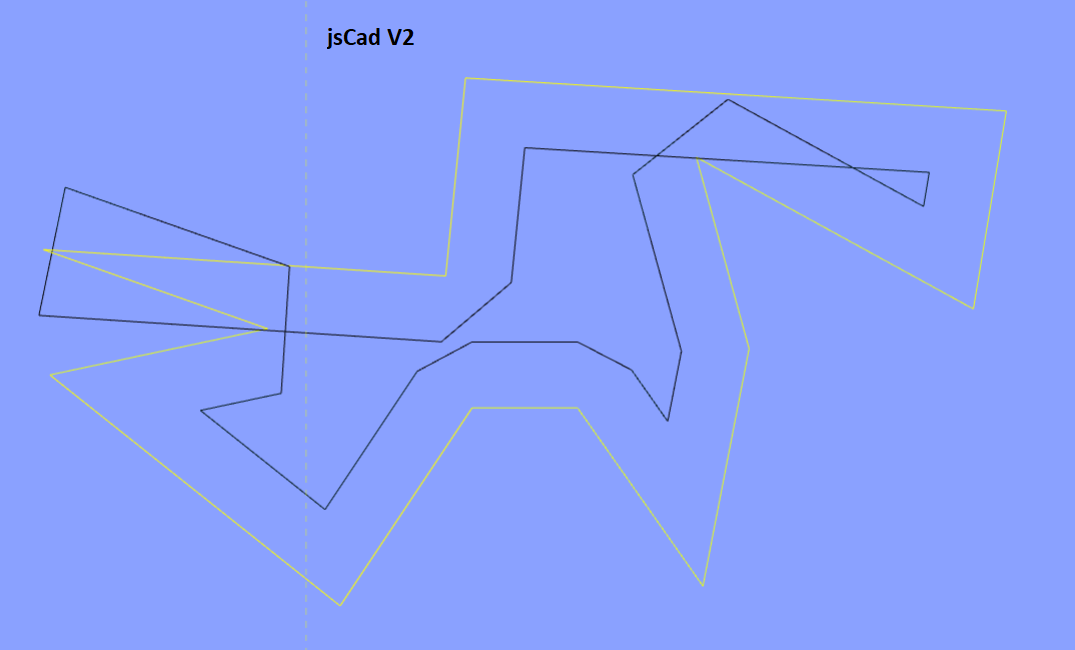
    @veysel-özer thanks for the nice examples. yeah. this is the behavior of V2. it's probably a BUG when contracting 2D geometries, as 2D geometry must have non-crossing outlines by definition. a fix can be done in the next version. when that will happen is a big question as everything is on hold waiting for the websites to be restored. if you have time then please create a new issue at GitHub.